


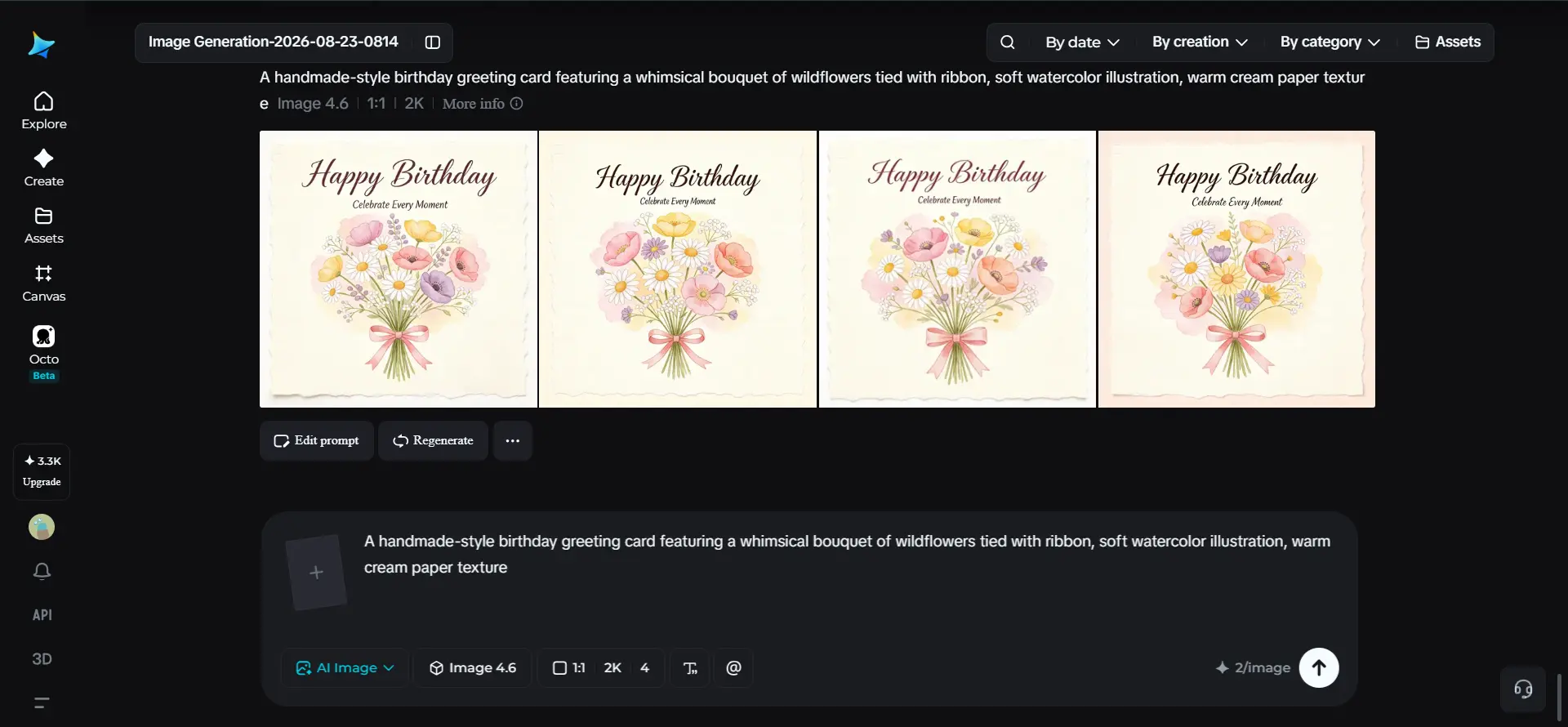
There’s a particular kind of guilt that comes from grabbing a generic card off a drugstore shelf for someone who actually means a lot to you. The sentiment inside might be genuine, but the card itself was designed for thousands of strangers, not for them specifically. An AI image generator solves this in a way store-bought cards never could, letting you design something that actually reflects the person you’re sending it to.
Dreamina, powered by its most advanced image generation model, Seedream 5.0 Pro, makes that kind of personalization genuinely achievable, even for someone with zero design background. Whether it’s a birthday, a thank-you, or just because, here’s how to create a card that actually feels like yours.
The problem with the greeting card aisle
Mass-produced cards are built around broad appeal, which means they rarely capture anything specific about the person receiving them.
A card built around your friend’s actual love of vintage motorcycles or your grandmother’s garden says something a generic “Happy Birthday” balloon design simply can’t.
Custom design isn’t about being fancier; it’s about being specific, and specificity is exactly what makes a card feel genuinely thoughtful rather than obligatory.
Picking a style that matches the person, not just the occasion
It’s easy to default to “birthday equals balloons and confetti,” but a stronger approach starts with the recipient’s actual taste. A few directions worth considering instead of the obvious default:
- Watercolor illustration for someone with a gentle, artistic sensibility
- Bold, graphic design for someone with a more modern, minimal style
- Whimsical, hand-drawn charm for someone playful or sentimental
- Photographic realism for a more classic, elegant feel
Letting the recipient’s personality drive the style, rather than just the occasion, is what separates a genuinely personal card from a slightly nicer generic one.
Your 3-step card creation with Dreamina
Once you’ve settled on a direction, here’s exactly how to bring the design to life.
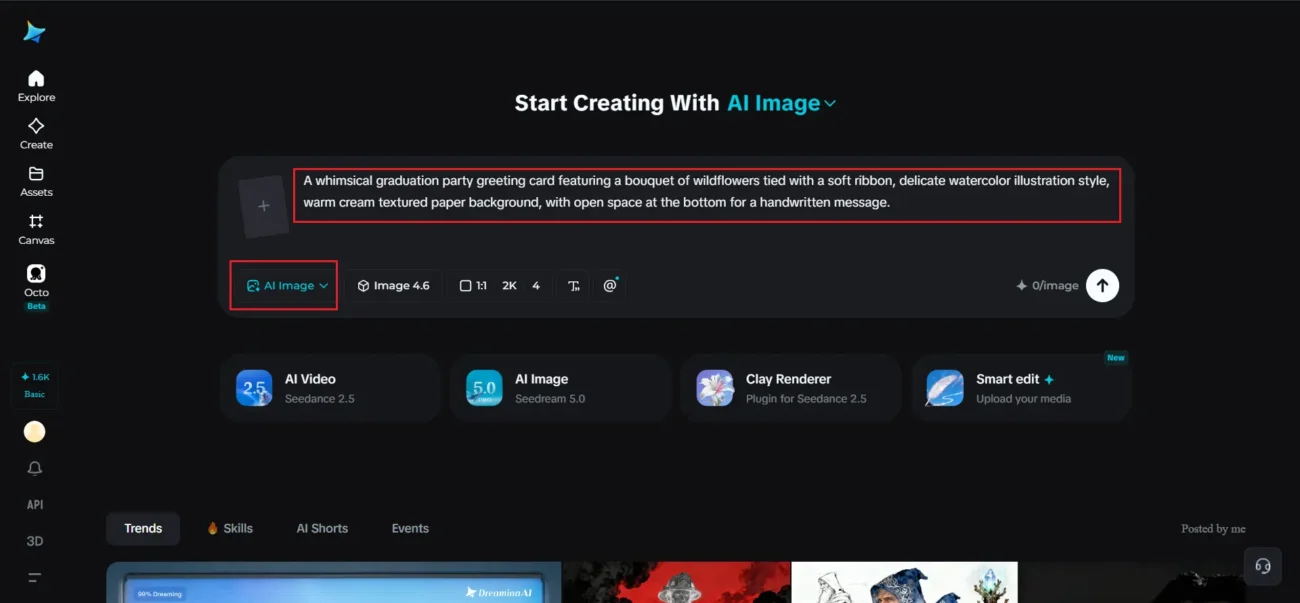
Step 1: Write a text prompt and/or add a reference image
Navigate to Dreamina and write a detailed text prompt describing a person dressed appropriately for the card’s theme if your design includes a figure, along with the illustration style, color palette, and mood that fits the recipient. If you have a reference image capturing a similar aesthetic you’re drawn to, upload it to help guide the generation.
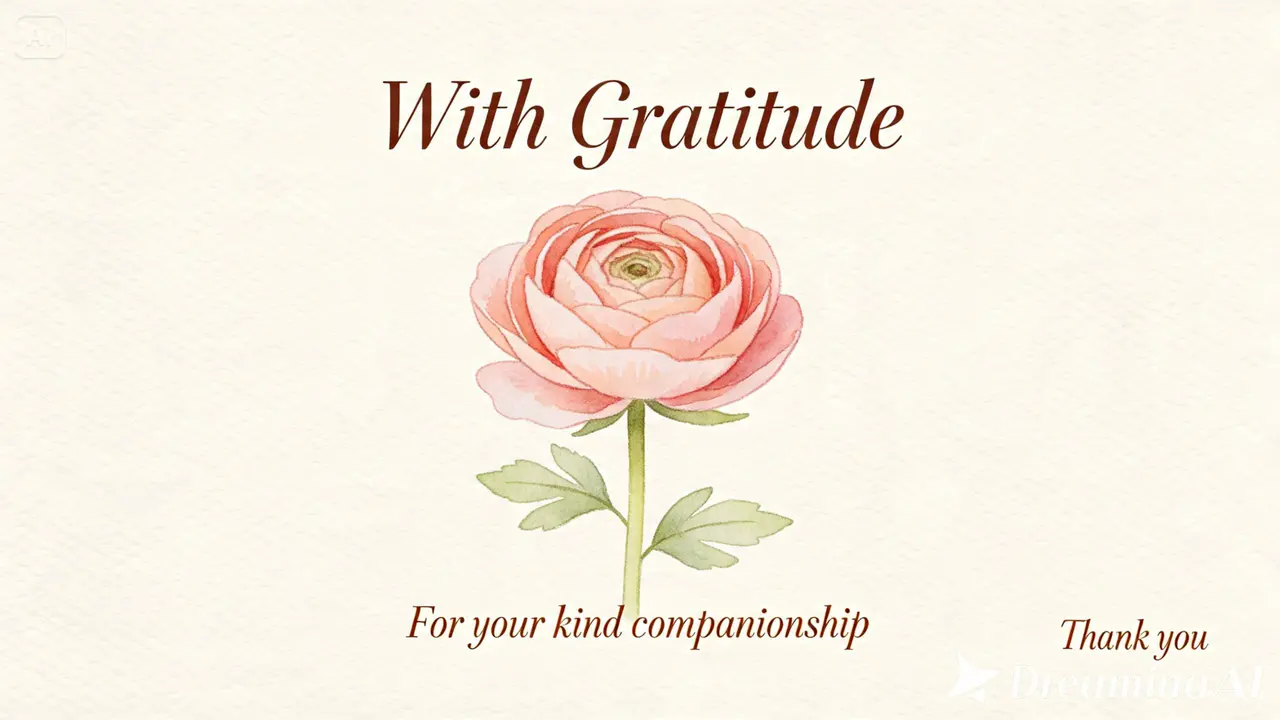
A detailed prompt might read: A whimsical graduation party greeting card featuring a bouquet of wildflowers tied with a soft ribbon, delicate watercolor illustration style, warm cream textured paper background, with open space at the bottom for a handwritten message.
Naming the specific style and reserving space for text keeps the design both personal and practical.
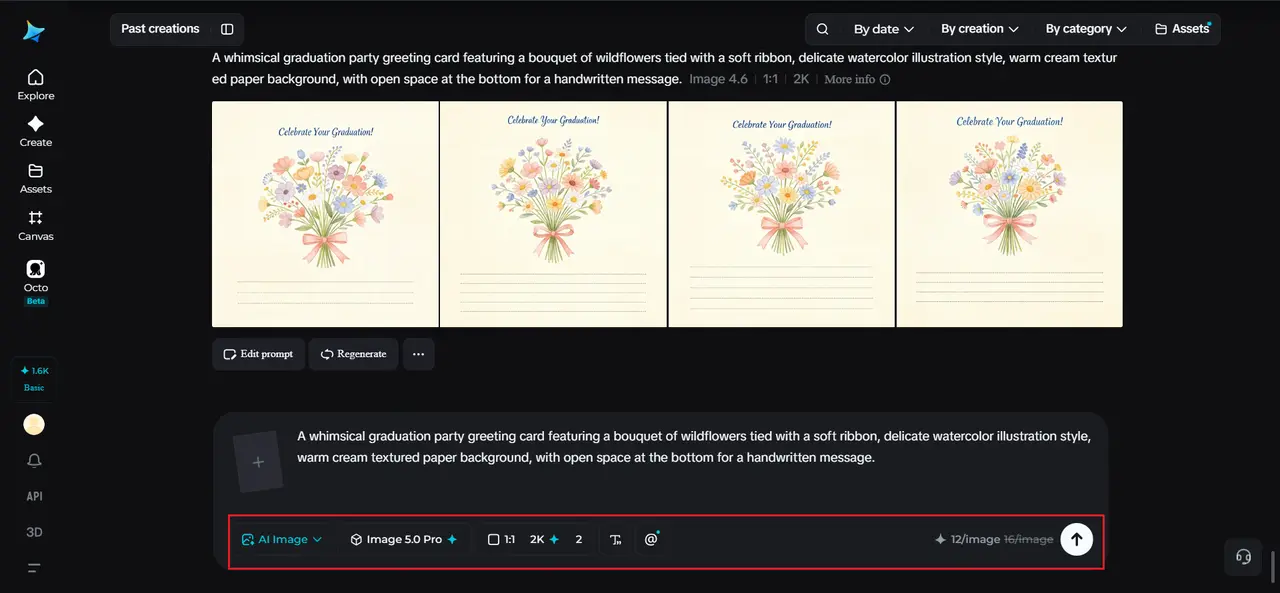
Step 2: Adjust parameters and generate
Before generating, set your parameters for the card format you need. Choose Image 5.0 Pro, powered by Seedream 5.0 Pro, as your model, then select your aspect ratio, image size, and resolution, using a standard card-friendly portrait ratio and 2K resolution to keep illustration detail crisp if you plan to print it. Click Dreamina’s generate icon to produce your card design.
Step 3: Customize and download
Once your card generates, refine it using Dreamina’s AI customization tools — inpaint to adjust specific illustration details, expand to open up more room for a message, remove to clean up anything cluttered, and retouch to sharpen color and texture. When the design feels genuinely finished, click the Download icon to save it.
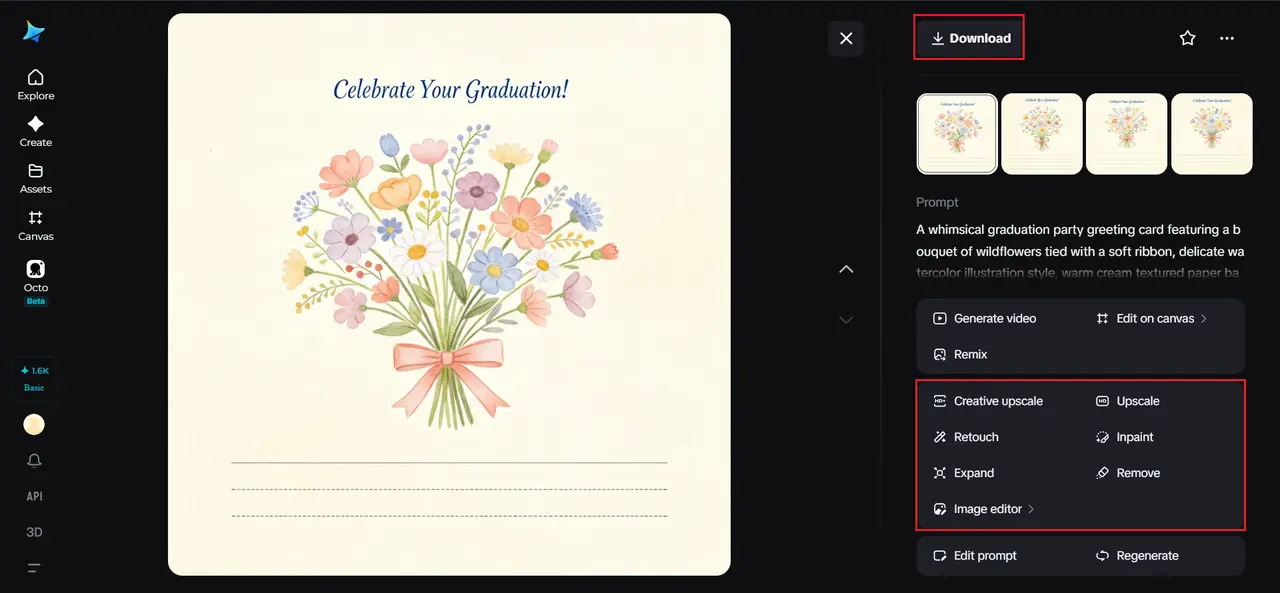
Illustration versus photographic greeting cards
Not every greeting card needs to be illustrated. A photographic approach- a warmly lit floral still life, a cozy seasonal scene, a striking portrait-style composition, can feel just as personal depending on the recipient and occasion. The key difference is intent: illustration tends to feel warmer and more whimsical, while photographic realism reads as more polished or elegant. Deciding which direction fits before generating keeps the final card cohesive rather than visually confused.
Meet Seedream 5.0 Pro: built for personal, detailed design
A lot of what makes this level of personalization possible comes down to Seedream 5.0 Pro specifically.
Its multi-layer visual control separates illustration elements, background, and text into independent components, which is genuinely useful when you want to adjust a single flower or design element without redoing the whole card. The pinpoint precision editing tools, including point selection, lasso, sketch guidance, and regional controls, let you fine-tune small details with real accuracy.
Native text generation across 14 languages means a short greeting or message can be rendered directly into the design when needed, and the 2K output quality keeps delicate illustration linework and texture looking genuinely polished rather than flat.
Leaving room for your own handwritten message
Even the most beautifully designed card still needs space for your own words, and that’s easy to forget in the excitement of generating something visually striking.
Deciding early whether you’ll write inside the card or directly onto the front design changes how much open space you actually need, and requesting that space explicitly in your prompt saves you from a design with nowhere left to write.
Building a signature card style over time
If you find yourself sending cards often- birthdays, holidays, thank-yous- it’s worth developing a loose personal style you return to each time: a consistent illustration approach, a recurring color palette, a signature little detail.
Cards that share a recognizable thread start to feel like a genuine tradition from you specifically, rather than a series of disconnected one-off designs.
Occasions where a custom card actually matters
While any card benefits from a personal touch, a few occasions tend to reward the extra effort most:
- Milestone birthdays and anniversaries
- Sympathy and get-well cards, where generic sentiment can feel hollow
- Thank-you notes for something genuinely meaningful
- Just-because cards sent with no occasion at all
Final thoughts
A card that actually reflects the person you’re sending it to doesn’t require artistic training, just a little thought about who they are and the right AI image generator to bring that thought to life. With Dreamina and its advanced Seedream 5.0 Pro model, that specific, personal touch is genuinely achievable in minutes rather than hours.
Think about the person first, choose a style that fits them, and let Dreamina design a card that actually feels like yours.

The ProThots editorial team researches and writes evidence-based content on health, beauty, wellness, and lifestyle